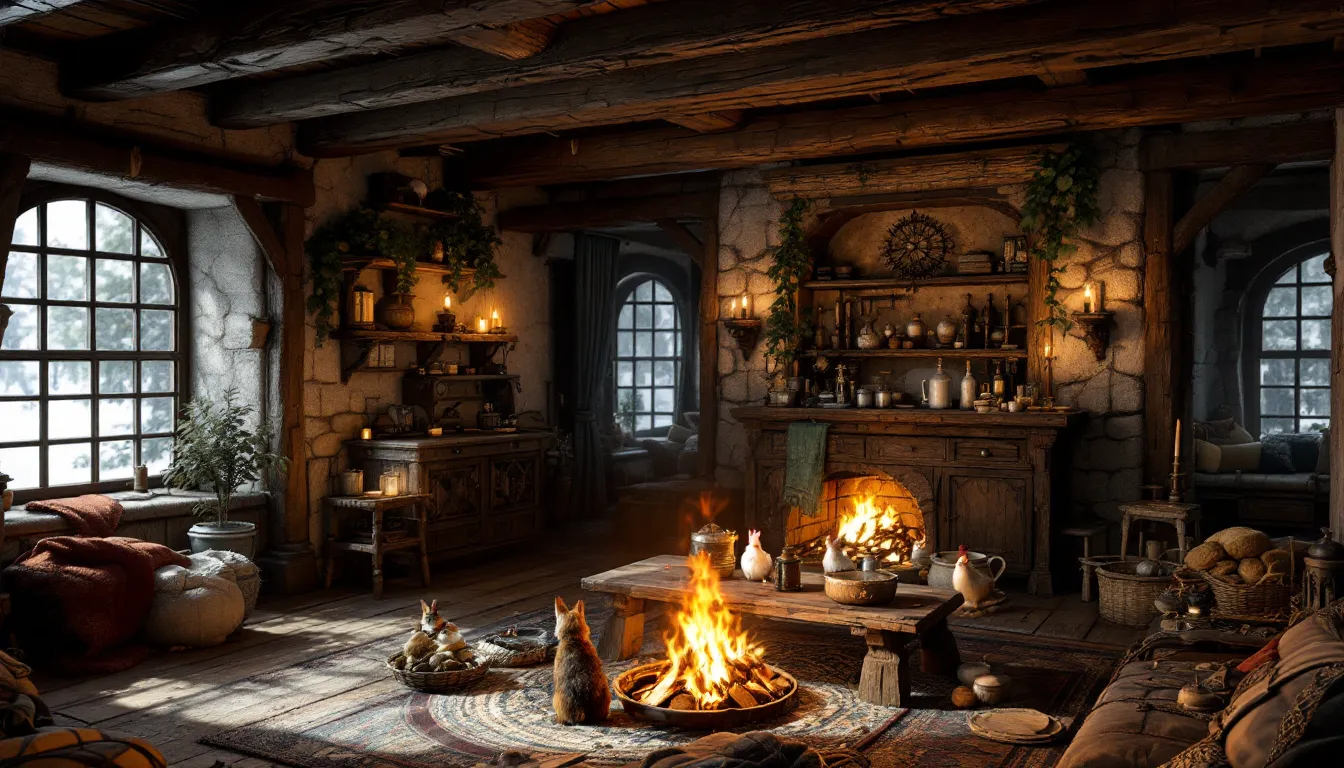
The Pets of Skyrim Creation Club content adds something the base game always lacked: adorable animal companions that actually follow you home. Unlike the standard dog followers or armored trolls, these pets bring a slice of cozy domesticity to your Dragonborn’s hearthfire. Whether you’re a collector who wants every critter under your roof or just someone who thinks a pet fox would look perfect in Lakeview Manor, this guide breaks down everything you need to know about unlocking, purchasing, and managing these companions.
Released as part of Skyrim Anniversary Edition and available separately through Creation Club, Pets of Skyrim isn’t a massive quest chain, it’s a straightforward addition that adds six purchasable pets to the game. But like many Creation Club offerings, the game doesn’t exactly hold your hand through the process. Let’s walk through how to start the quest, where to find each pet, and how to avoid the bugs that can occasionally turn your skeever into a permanently invisible house guest.
Table of Contents
ToggleKey Takeaways
- Pets of Skyrim quest adds six adorable animal companions to your player homes, including foxes, rabbits, goats, chickens, skeevers, and spiders, all purchasable from Khajiit caravans for 250–500 gold.
- You can start the Pets of Skyrim quest immediately after receiving the automatic letter from Ri’saad, with no level requirements or prerequisite quests needed.
- Locate Khajiit caravans outside major cities like Whiterun, Riften, and Solitude; all three merchants sell the same pets, so any caravan will work.
- Hearthfire homesteads (Lakeview Manor, Windstad Manor, and Heljarchen Hall) offer the best spaces for pet collections due to their size and customizable layouts.
- Pets are purely decorative and don’t fight alongside you or carry items, but they add immersion through unique idle animations and interactions like curling up by fires or grazing.
- Be aware of common bugs like pets disappearing after quest-heavy missions or getting stuck in walls, especially with spiders; PC players can use console commands to reposition lost pets.
What Is the Pets of Skyrim Creation?
Pets of Skyrim is a Creation Club mod officially integrated into Skyrim Anniversary Edition (released November 2021) and available as a standalone purchase for Special Edition players. It was developed by Bethesda Game Studios in collaboration with community creators and adds six new pet types to the game.
Unlike traditional followers, these pets don’t fight alongside you in dungeons or carry your loot. They’re purely decorative companions designed to inhabit your player homes. Each pet has unique idle animations, foxes curl up by the fire, chickens peck at the ground, spiders skitter into corners, which adds life to otherwise static homesteads.
The Creation is compatible with all platforms: PC, PlayStation 4/5, Xbox One/Series X
|
S, and even Nintendo Switch (though Switch performance with multiple Creation Club mods installed can be rough). If you own Anniversary Edition, Pets of Skyrim is already in your game. Special Edition players need to purchase it separately through the in-game Creation Club menu for 300 credits (roughly $2.99 USD).
One important note: this isn’t a quest-heavy mod. There’s no storyline, no dungeons to clear, and no moral dilemmas about adopting a skeever. You buy pets from Khajiit caravans, bring them home, and enjoy the aesthetic. That simplicity is part of the appeal, but it also means the content is fairly light compared to larger Creation Club offerings like The Cause or Ghosts of the Tribunal.
How to Start the Pets of Skyrim Quest
Finding the Letter from Ri’saad
Once the Creation is installed, a Letter from Ri’saad will be added to your inventory the next time you load your save or start a new game. This isn’t a physical item you can drop or read from your journal, it’s an auto-start trigger that adds a miscellaneous quest objective: “Visit the Khajiit caravans to buy pets.”
If you’re playing a fresh save, you’ll receive the letter within the first few minutes of gameplay, even before leaving Helgen. For existing characters, it should appear immediately upon loading. If it doesn’t show up, try fast traveling to a new location or waiting 24 in-game hours. In rare cases, players report needing to disable and re-enable the Creation in the mod menu to force the trigger.
There’s no level requirement, no prerequisite quests, and no faction restrictions. You can buy pets as early as you can afford them (they’re cheap, usually 250-500 gold each) and access a caravan.
Locating the Khajiit Caravans
The three Khajiit trading caravans roam Skyrim on set routes, stopping outside major cities. They never enter the cities themselves, you’ll find them camped near the stables or main gates. Here’s where each caravan typically appears:
- Ri’saad’s Caravan: Travels between Whiterun and Markarth. Most commonly found outside Whiterun’s main gate near the stables.
- Ahkari’s Caravan: Moves between Dawnstar and Riften. Often camps outside Riften’s north gate.
- Ma’dran’s Caravan: Routes between Windhelm and Solitude. Frequently spotted outside Solitude’s stables.
All three caravans sell the same pets, so you don’t need to hunt down a specific merchant. If you’re having trouble finding one, wait at a city gate for 24-48 in-game hours and a caravan should arrive. Alternatively, check Nexus Mods if you want a mod that makes caravans spawn more reliably, some community patches address the vanilla pathfinding issues that occasionally cause caravans to get stuck or disappear.
All Available Pets and Where to Find Them
Fox (Sweet Roll)
Price: 250 gold
Default Name: Sweet Roll
The fox is the most popular pet in the Creation, and for good reason, it’s adorable, fits the Skyrim aesthetic perfectly, and has some of the best idle animations. Foxes will curl up near fireplaces, scratch behind their ears, and occasionally “play” by pouncing at nothing.
All pets can be renamed when you purchase them, but “Sweet Roll” is the default if you skip the prompt. Foxes are non-aggressive and will flee if your home is attacked by vampires or cultists (yes, that can happen with Dawnguard and Dragonborn DLC active).
Rabbit (Thistle)
Price: 250 gold
Default Name: Thistle
The rabbit is the second most docile option, perfect for players who want a peaceful homestead vibe. Rabbits hop around slowly, nibble at the ground, and occasionally stand on their hind legs. They’re small enough to fit in tight spaces, which makes them ideal for smaller homes like Breezehome.
One quirk: rabbits have a tendency to clip through furniture or get stuck under tables. It’s not game-breaking, but if you’re a perfectionist about home decoration, it can be annoying.
Goat (Gristle)
Price: 350 gold
Default Name: Gristle
The goat is the only “farm animal” in the lineup, and it’s surprisingly charming. Goats will graze, bleat occasionally, and headbutt nearby objects (not NPCs, sadly). They’re bulkier than foxes or rabbits, so they work best in larger homes like Hearthfire homesteads.
Goats also have a unique interaction with the player, if you stand near them long enough, they’ll approach and nuzzle your character. It’s a small detail, but it adds personality.
Chicken (Chirpy)
Price: 250 gold
Default Name: Chirpy
The chicken is a meme-worthy addition, given Skyrim’s infamous “kill a chicken, entire town attacks you” mechanic. Your pet chicken won’t turn anyone hostile, but it does cluck, peck, and wander aimlessly like its wild counterparts.
Chickens are low-maintenance and fit the rustic Skyrim vibe. They’re also one of the few pets that look natural in outdoor spaces if you build a homestead with a yard.
Skeever (Squeakers)
Price: 500 gold
Default Name: Squeakers
The skeever is the most divisive pet. In the base game, skeevers are diseased pests you kill in sewers and caves. Here, you can own one. They’re hairless, rat-like, and objectively ugly, but some players love the irony of keeping Skyrim’s least-loved creature as a pet.
Skeevers have unique animations where they scratch themselves and sniff around. They’re also surprisingly fast movers, which can make them harder to keep track of in large homes. Communities like Game8 have reported that skeevers are the most bug-prone pet, occasionally disappearing or becoming non-interactive after certain script-heavy quests.
Spider (Scuttle)
Price: 500 gold
Default Name: Scuttle
The spider is the most controversial pet, and not just because arachnophobia is common. It’s a frostbite spider, the same creature that’s terrorized players in caves since 2011, shrunk down to “harmless” size. Scuttle skitters along walls and ceilings, which is either immersive or nightmare fuel depending on your perspective.
Spiders are the only pet that can climb vertical surfaces, making them visually unique. But, they’re also the glitchiest, players report issues with spiders clipping through walls, getting stuck in unreachable spots, or triggering combat music without cause. If you’re planning to collect all pets, buy the spider last in case you need to troubleshoot.
Step-by-Step Quest Walkthrough
Purchasing Your First Pet
Once you’ve located a Khajiit caravan, speak to any of the merchants (Ri’saad, Ahkari, or Ma’dran). Their dialogue menu will include a new option: “I’d like to buy a pet.” Select this to open the pet purchase interface.
You’ll see a list of all six available pets with their names and prices. Highlight the pet you want and confirm the purchase. The game will prompt you to rename the pet if you want, this is your only chance to do so without console commands, so choose carefully.
After purchasing, the pet will be “sent to your home.” This is automatic: you don’t need to escort it. The game determines your “home” based on the most recent player-owned property you’ve visited or slept in. If you haven’t acquired a home yet, the pet will default to waiting near the caravan until you do.
Bringing Your Pet Home
Travel to your chosen home (Breezehome, Lakeview Manor, Proudspire Manor, etc.). Your pet should appear inside within a few in-game hours. If it doesn’t show up immediately, try the following:
- Wait or sleep for 24 hours inside the home.
- Exit and re-enter the building. Loading screens can trigger NPC spawns.
- Fast travel away and back. This resets interior cells.
If your pet still doesn’t appear, it’s likely stuck in a pathfinding loop or sent to the wrong home. Check other properties you own, pets sometimes default to the first home you purchased rather than the most recent.
Managing Multiple Pets
You can own all six pets simultaneously, and they’ll all inhabit the same home (or spread across multiple homes if you prefer). There’s no hard limit on pet ownership, but performance can suffer if you cram too many entities into a small space like Breezehome.
Pets can’t be dismissed or rehomed once purchased. If you want to “move” a pet to a different house, you’ll need to change your active home (sleep in a new bed and wait 24 hours). Pets will eventually follow to the new location, but the process is inconsistent.
One useful tip from Twinfinite: if you’re using Hearthfire homesteads, build the animal pen addition. While pets don’t use the pen mechanically, having the space makes them feel more integrated into your homestead’s ecosystem.
Pet Mechanics and Behavior Guide
How Pets Interact with Your Homestead
Pets are sandbox entities, they wander within the bounds of your home’s interior or exterior cell, interact with furniture (sitting near fires, hiding under tables), and occasionally approach the player for brief “attention” animations. They don’t have needs, health bars, or inventory. You can’t feed them, command them, or take them on adventures.
They also don’t react to most gameplay events. If your home is attacked (Dawnguard vampire attacks, for example), pets will either flee to a corner or ignore the combat entirely. They can’t be killed by NPCs or environmental hazards, which is a relief given how fragile followers can be.
Compatibility with Other Followers and Pets
Pets of Skyrim works alongside all vanilla followers, including dogs like Meeko or Vigilance. You can have a pet fox at home, a dog following you in the field, and a housecarl like Lydia all active at once. There’s no conflict in the follower system because pets aren’t coded as followers, they’re static home decorations with AI.
But, pets don’t interact with each other or with other home NPCs (spouses, children, housecarls). Your kids won’t pet the rabbit, and Lydia won’t comment on the skeever. It’s a missed opportunity for immersion, but it avoids the scripting complexity that would’ve caused bugs.
Known Bugs and Issues
Pets of Skyrim is relatively stable, but several recurring issues have been documented:
- Disappearing pets: Occasionally, pets vanish after certain quests (especially Thieves Guild or Dark Brotherhood missions that heavily use scripts). They usually reappear after 72 in-game hours or a cell reset.
- Pathing errors: Pets get stuck in walls, under staircases, or in unreachable locations. Console players are stuck with this: PC players can use
tcl(no-clip) to reposition them or themoveto playercommand. - Multiple homes: If you own several properties, pets may randomly relocate between them. There’s no consistent fix beyond choosing a single “main” home and only sleeping there.
- Spiders triggering combat music: The spider pet sometimes causes the combat music sting to play on loop. Reloading a save usually clears it.
For comprehensive bug fix mods, check community patches on Nexus Mods. Unofficial patches often address the pathing and disappearance issues Bethesda never fixed.
Best Homes for Your Pet Collection
Hearthfire Homesteads
The three Hearthfire player homes, Lakeview Manor (Falkreath), Windstad Manor (Hjaalmarch), and Heljarchen Hall (The Pale), are the best environments for pets. They’re spacious, customizable, and have both interior and exterior cells where pets can roam.
Lakeview Manor is the most popular choice due to its forested setting, which feels natural for foxes and rabbits. Windstad Manor’s marshland aesthetic works well for skeevers (if you lean into the swamp creature vibe). Heljarchen Hall is the most barren but offers the most open space if you want to watch your pets wander freely.
Build the main hall, entryway, and at least one wing to give your pets room to spread out. The animal pen addition doesn’t mechanically affect pets, but it’s a nice thematic touch if you’re collecting the goat and chicken.
Other Compatible Player Homes
All vanilla player homes support pets, but smaller homes can feel cramped:
- Breezehome (Whiterun): Cheap and accessible early-game, but tiny. Best for 1-2 pets max.
- Honeyside (Riften): Slightly larger than Breezehome with a nice exterior deck. Good for rabbits and chickens.
- Vlindrel Hall (Markarth): Dwarven aesthetic clashes with the rustic pet vibe, but it’s spacious enough for the full collection.
- Hjerim (Windhelm): Large interior with multiple rooms. Pets spread out well here.
- Proudspire Manor (Solitude): The most expensive home, and the most spacious city house. If you’re going for a “noble with exotic pets” roleplay, this fits.
Creation Club homes (like Myrwatch or Hendraheim) also support pets, but compatibility varies depending on the specific Creation. Test with one pet before buying the full collection.
Tips for Maximizing Your Pet Experience
Set a designated home early. Before buying your first pet, sleep in the bed of the house you want them to inhabit. This sets the “default home” flag and prevents pets from spawning in the wrong location.
Buy pets in batches. If you’re collecting all six, purchase 2-3 at a time, then return home to confirm they’ve arrived before buying more. This helps you troubleshoot if one goes missing.
Use console commands (PC only). If a pet disappears, open the console (~) and type help "pet name" 4 to find its reference ID, then prid [ID] followed by moveto player to teleport it to you. This works for any named NPC.
Avoid quest-heavy homes. Don’t set Severin Manor (Dragonborn DLC) or the Dark Brotherhood Sanctuary as your pet home. Quests that heavily modify these locations can cause pets to despawn permanently.
Pair pets with your playstyle. If you’re roleplaying a hunter or ranger, foxes and rabbits fit thematically. Necromancers might prefer the spider. Alchemists who spend time in swamps could justify the skeever. It’s a small detail, but it adds to immersion.
Check for mod conflicts. If you’re running heavily modded Skyrim (especially home overhaul mods like JK’s Skyrim or ClefJ’s Interiors), test pet compatibility before committing. Some mods alter home layouts in ways that break pet pathing.
Don’t stress about the meta. Pets of Skyrim is pure cosmetic flavor. There’s no “optimal” pet or strategic advantage. Pick the animals you like and enjoy the cozy homestead vibes.
Conclusion
Pets of Skyrim is a lightweight, low-stakes Creation that scratches a very specific itch: making your player homes feel lived-in and personal. It’s not going to change your playthrough or add hours of content, but if you’ve ever wished your Dragonborn could return from dragon-slaying to a fox napping by the hearth, it delivers exactly that.
The quest itself is straightforward, find a Khajiit caravan, buy the pets you want, and let them populate your home. The real value is in the small moments: watching a rabbit hop across Lakeview Manor’s porch, hearing a chicken cluck while you sort loot, or (if you’re brave) letting a spider dangle from your alchemy lab ceiling. It’s the kind of detail that doesn’t matter mechanically but makes Skyrim feel a little more like home.
Whether you grab just the fox or collect all six, Pets of Skyrim is a solid addition for players who value atmosphere and roleplay over combat or loot. Just keep a save handy in case your skeever glitches into the void.